040 Ticket

Ticketing plugin for WordPress

Sell tickets. Scan them at the door. Done.

040 Ticket puts a ticket shop on your own WordPress site, takes payment through Mollie, emails every ticket with its own QR code, and checks guests in with a phone at the door. No WooCommerce, no extra plugins, no fee per ticket.

Tested at several events with up to 500 attendees.

tickets.jazzinthegarden.nl/tickets
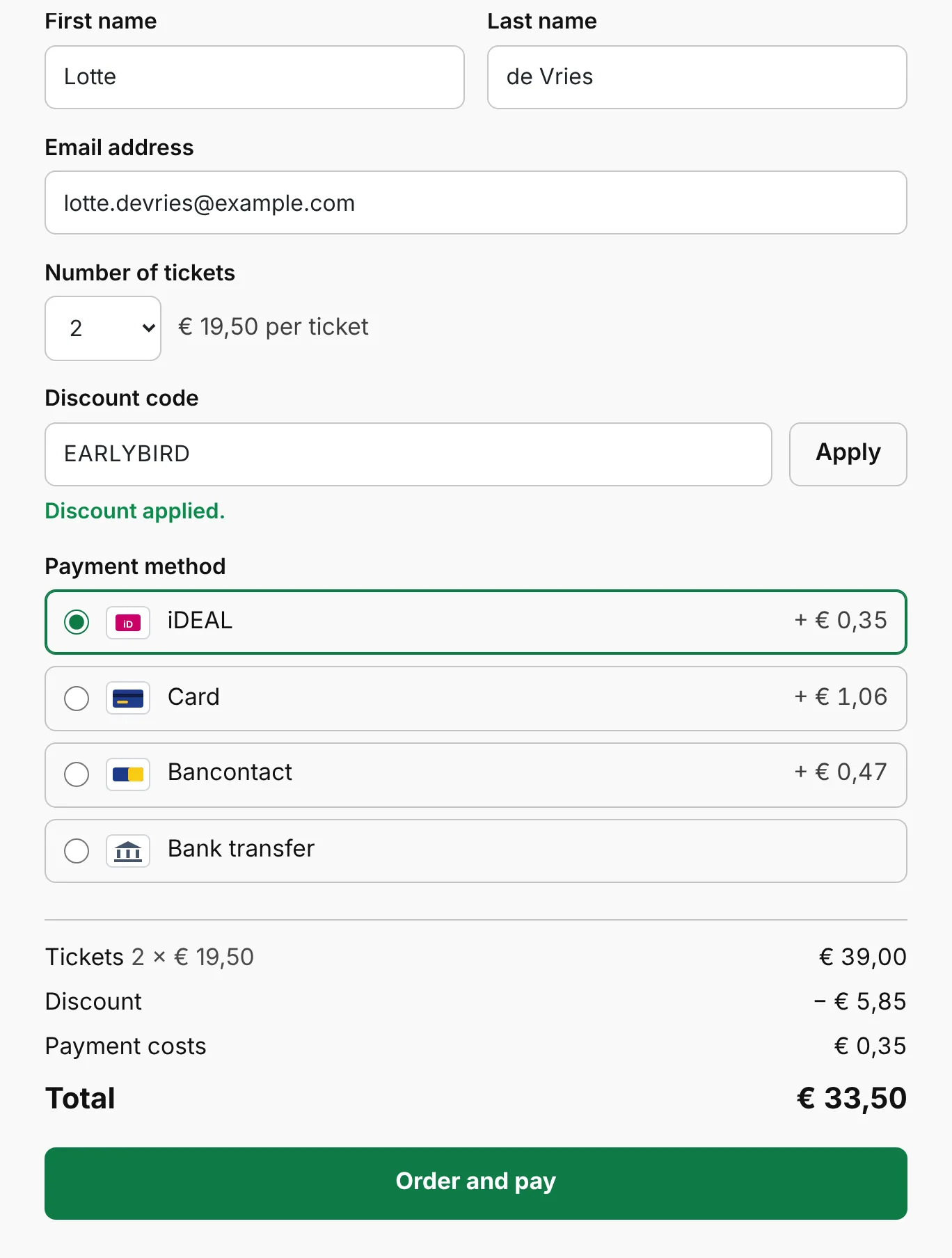
The 040 Ticket order form: name, email, number of tickets, discount code, payment method and a live total
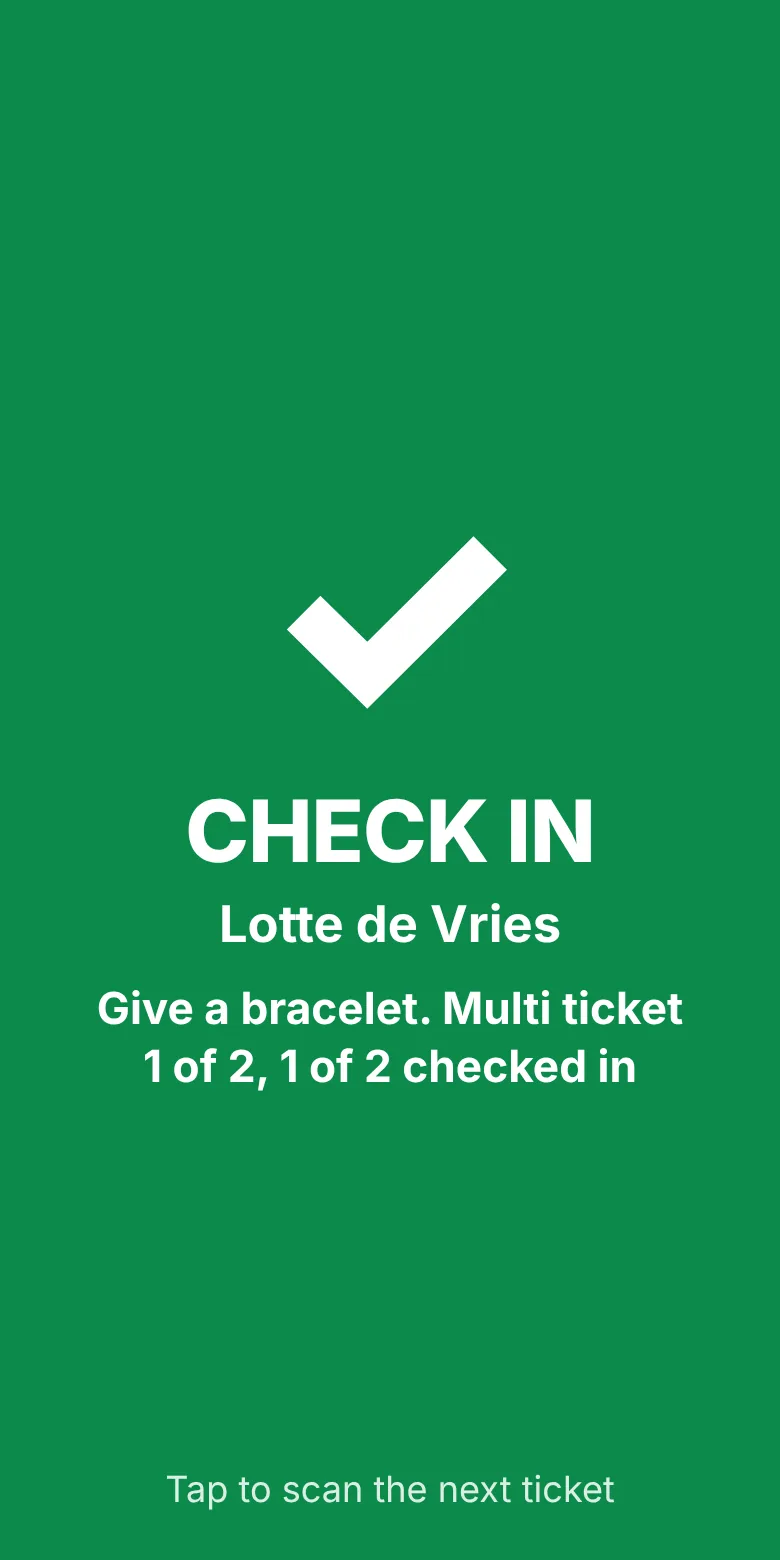
Door scanner showing a green CHECK IN screen for Lotte de Vries
500attendees at our largest test event so far
1 shortcodeputs the order form on any page
€ 0per ticket sold, you only pay Mollie's own rate
2 QR codesto set up a door phone: one installs, one connects

How it works

From the order form to a bracelet in three steps

Your visitors never leave your website to buy, and your door staff never need a laptop.

Order form with two tickets, an EARLYBIRD discount and iDEAL selected

1 The buyer orders

A short form that shows the price as you go

First name, last name, email, number of tickets, a discount code if you use them, and the payment method. The total updates with every choice, then Mollie takes the payment and sends the buyer straight back to your page.

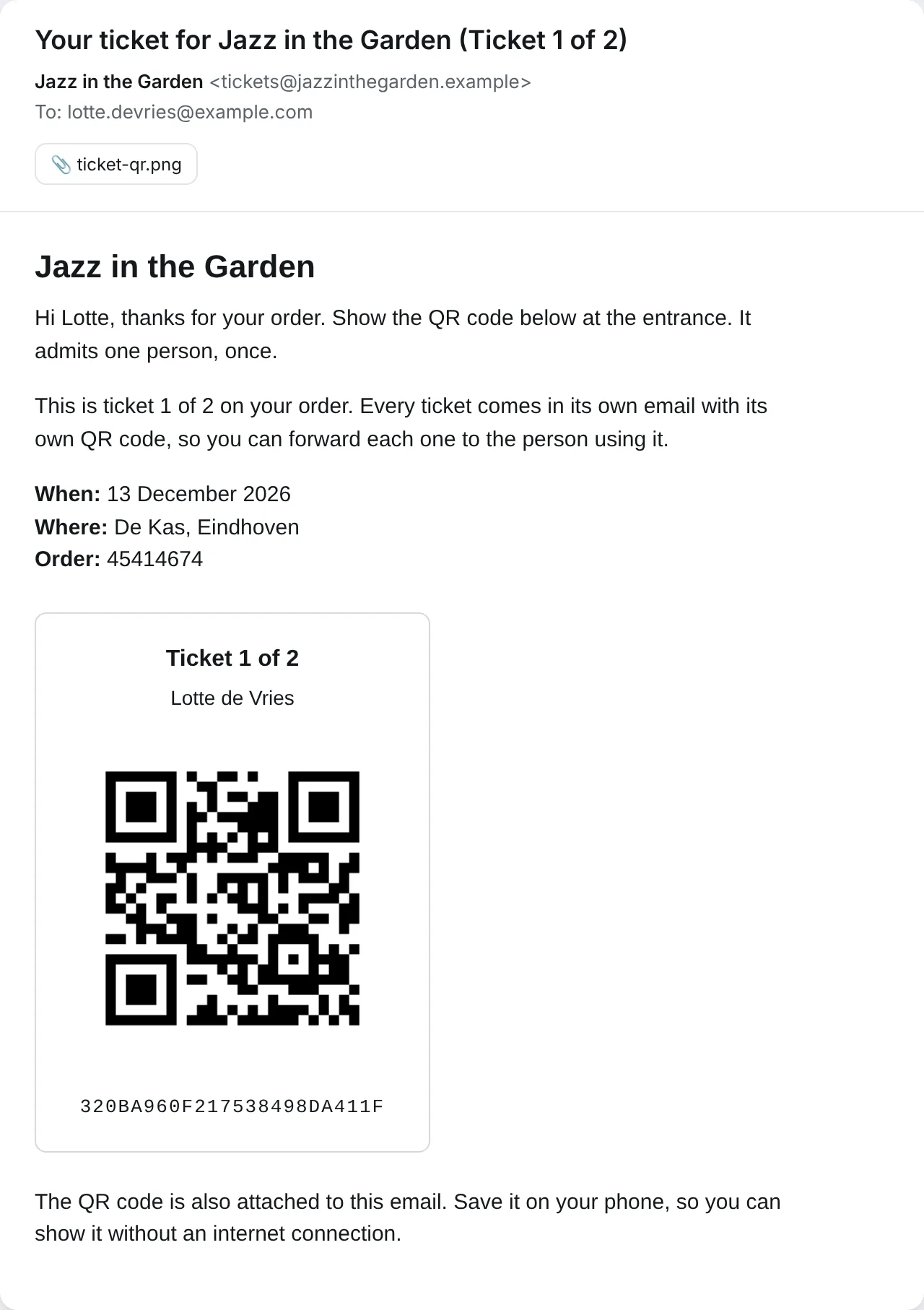
Ticket email showing Ticket 1 of 2, the event details, a QR code and the 24-character ticket code

2 Tickets arrive by email

One email per ticket, each with its own QR code

An order for three gets three emails, marked "Ticket 1 of 3" and so on, so each one can be forwarded to the friend who uses it. The QR is also attached as an image, so it still works on a phone without signal.

Scanner showing CHECK IN in green

3 Scan at the door

Point a phone at the QR and read the colour

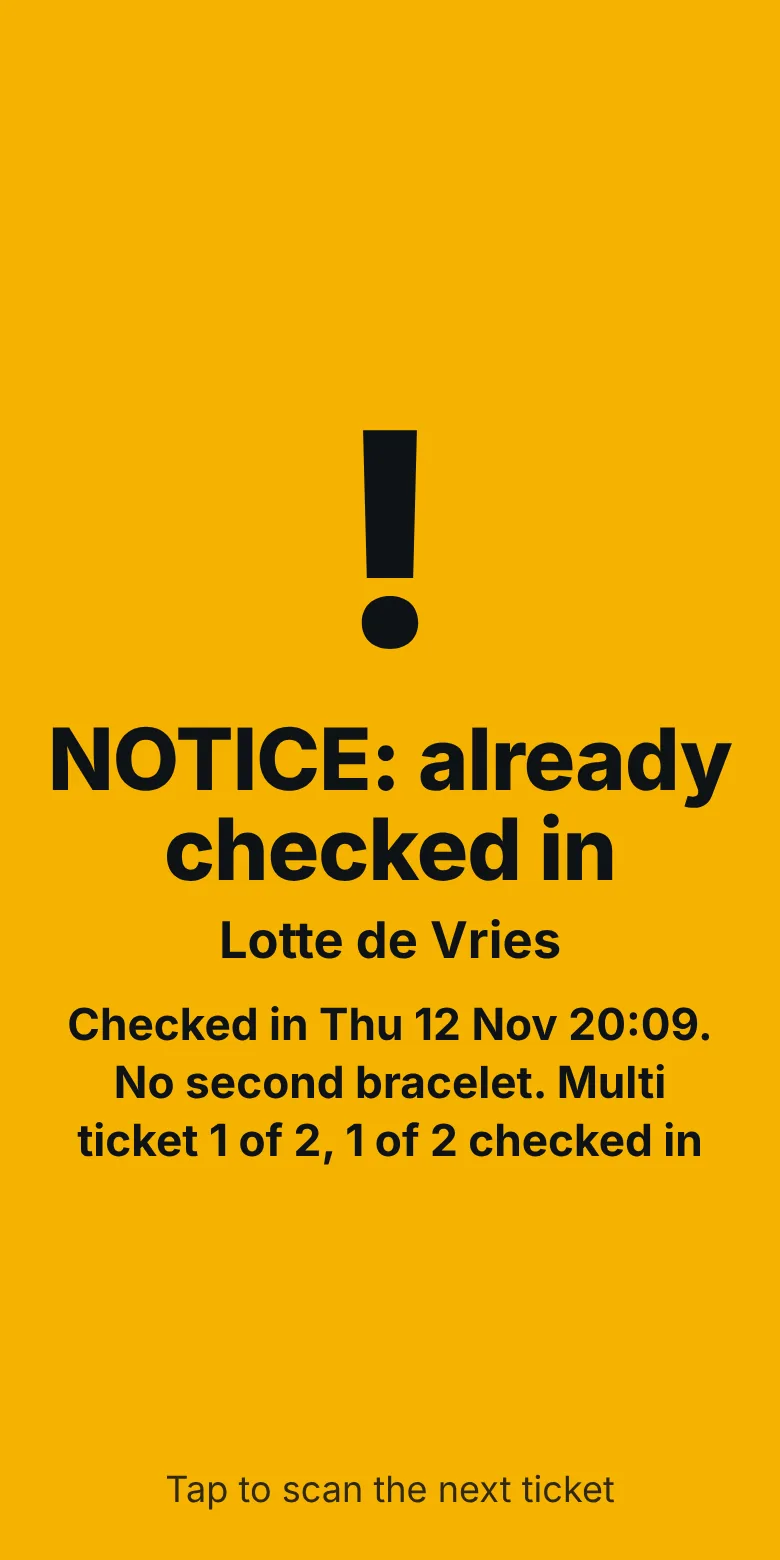
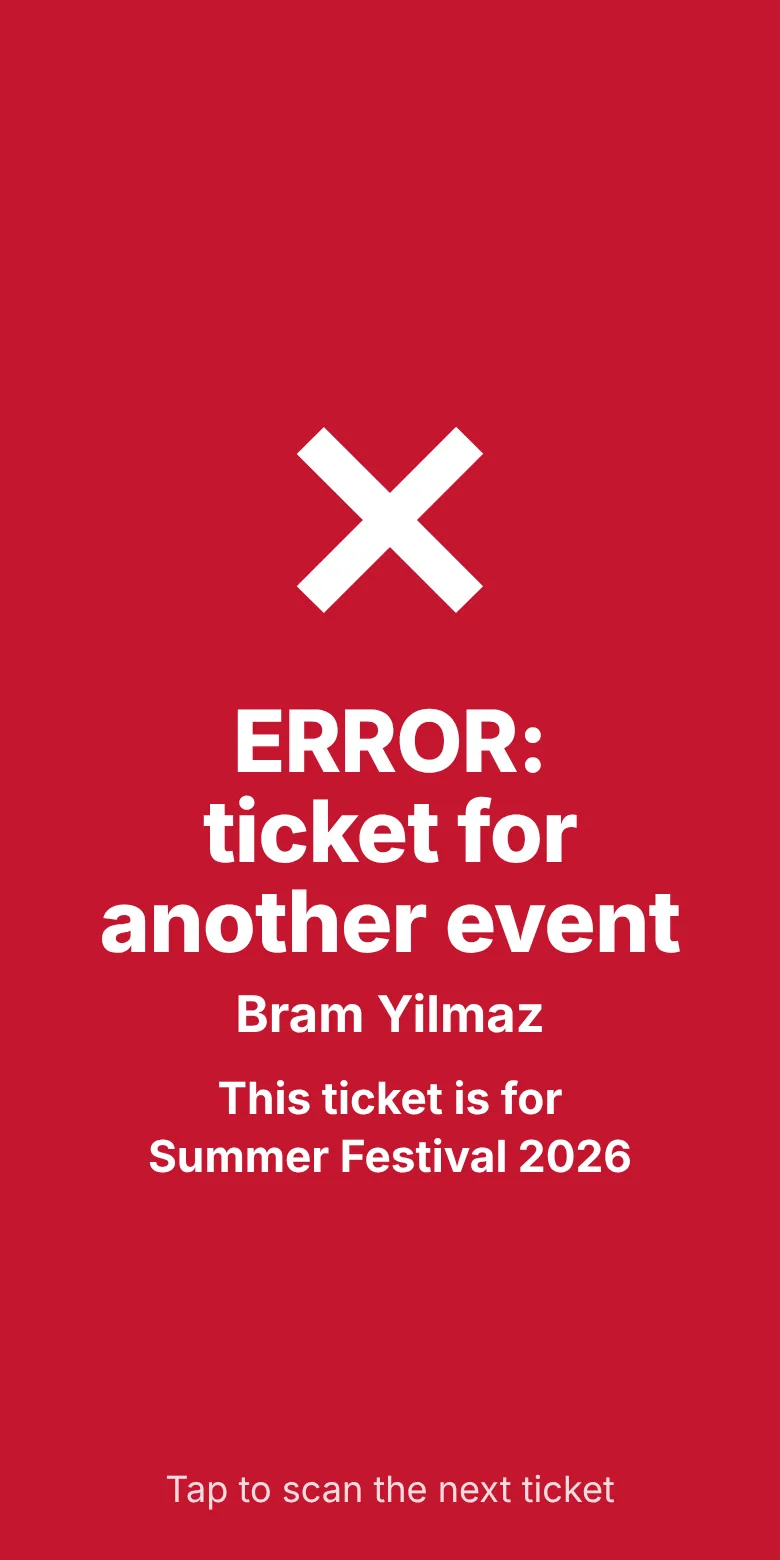
Green means let them in. Amber means this ticket was already used, with the time of the first scan. Red means the ticket is unknown or for another event. Staff learn it in a minute.

Every ticket carries a unique code 320BA960F217538498DA411F 24 characters, printed under the QR. If a cracked screen won't scan, staff tap "Type a code" and enter it by hand.
Admit ONE once

The door scanner

Five answers, one tap to the next guest

The Android app comes with the plugin. Install it from a QR code in your settings, scan a second code to connect, pick the event, and the camera starts reading tickets one after another.

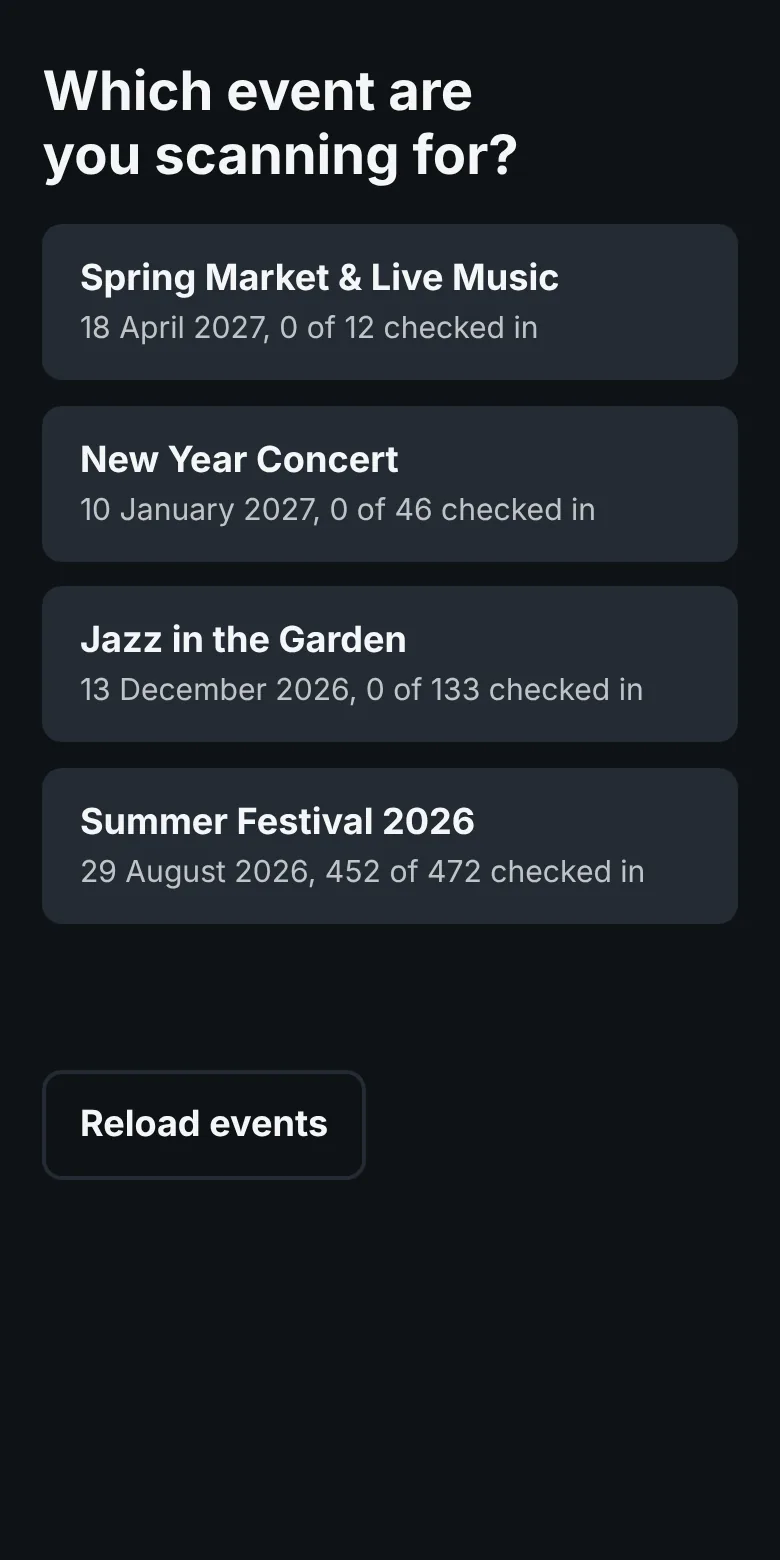
  • Scanner asking which event to scan for, with check-in counts per event

    Pick the eventEvery event with how many guests are already inside.

  • Green CHECK IN screen

    CHECK INValid ticket. Give a bracelet. Shows which ticket of a group order it is.

  • Amber notice: already checked in, with the time of the first scan

    Already checked inWith the exact time of the first scan, so a screenshot shared with a friend gets caught.

  • Red error: ticket for another event

    Another eventA real ticket, but for a different night. The screen names which one.

  • Red error: unknown ticket

    Unknown ticketNot a ticket from your site. Nothing gets past.

  • Several doors at onceRun as many phones as you have entrances. The server makes sure two phones can never both say CHECK IN for the same ticket.
  • iPhone? Use the web scannerScan the same connection code with any phone camera and the scanner opens in the browser. Works on iPhone too.
  • Built for a dark entranceA "Light" button switches on the torch, a ticket held in front of the camera is never judged twice, and the result stays on screen until staff tap it.

Inside WordPress

Everything sits under one Tickets menu

No separate dashboard to learn. If you can write a WordPress page, you can run your ticket sales. Click through the screens below.

Settings
wp-admin › Tickets › Events
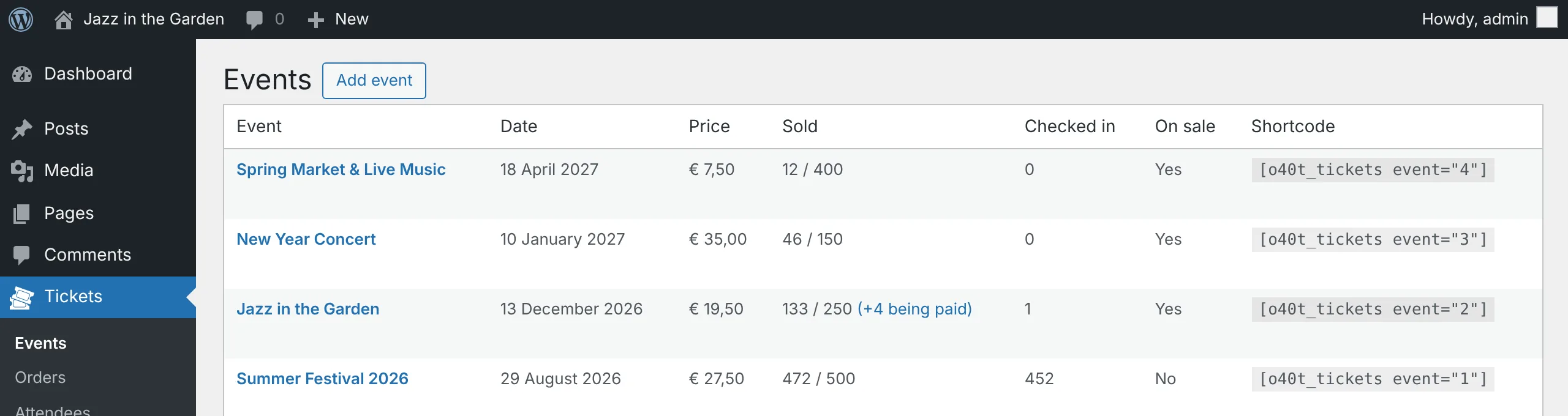
Events list with sold and checked-in counts per event

Events

Every event with its date, price, tickets sold against capacity, and how many guests are checked in. Copy the shortcode next to it onto any page and the order form appears.

All screenshots are taken from a working copy of 040 Ticket 1.5.1 on a demo site filled with example names and orders.

What's in the box

Small on purpose, complete where it counts

Mollie payments

iDEAL, cards, Bancontact, bank transfer and every other method you switch on in Mollie. The buyer picks it on your form and skips Mollie's choice screen.

Pass on payment costs

Set a fixed amount and a percentage per method. The plugin works out the surcharge so the full ticket price is left after Mollie takes its share.

Discount codes

A percentage or an amount off per ticket, for one event or all, with a first and last day and a limit on uses. A 100% code issues free tickets without Mollie.

Your own ticket email

Edit the HTML with codes like [first_name] and [qr_code], and send yourself a test before buyers see it.

Orders and attendees

Search by name, email, ticket code or order number. Check in by hand, resend a ticket, cancel an unpaid order, download a CSV.

No overselling

Tickets in an unpaid order stay reserved until Mollie reports the payment. Every order is checked on the server, so even a cached page cannot sell one ticket too many.

Fits your theme

Set the button colour, field colours, corners and width in Settings. Works with Divi and other page builders.

Dutch and English

Buyer texts follow your site's language. Every sentence can be changed with one WordPress filter.

Your data stays yours

Orders and tickets live in your own WordPress database. Random 8-digit order numbers don't reveal how much you sold.
Proven at real events

500

attendees, and room for far more

040 Ticket has been used at several events with up to 500 people coming through the door. The plugin itself can handle a lot more than that. What sets the limit is the server your WordPress site runs on.

A ticket shop puts load on a site at exactly the moments that matter most:

  • When sales openHundreds of buyers on the order page in the same few minutes.
  • At the doorEvery scan is a request to your site. A slow server means a queue in the rain.
  • Every ticket emailOutgoing mail has to arrive, not land in spam, and the QR image is served from your own site.
  • Mollie's webhookMollie has to reach your site over HTTPS to confirm each payment. No firewall surprises.
Our recommended host 040Hosting

040 Ticket is made by the team behind 040Hosting, so this is the host we know it runs best on. For any event where a slow site would cost you sales or a queue at the door, this is where we recommend you run it.

Already have hosting you trust? 040 Ticket runs on any host that meets the requirements below. Just test with a few hundred orders before your big night.

Visit 040hosting.eu
One licence, everything included
€ 250,00per year
per WordPress installation
  • Unlimited events, orders and tickets
  • No fee per ticket on top of Mollie's own rate
  • Android door scanner app and the web scanner for iPhone
  • As many door phones as you have entrances
  • Discount codes, payment costs, your own email design
Order a licence Running several WordPress sites? Each installation needs its own licence.

Before you buy

What your site needs

WordPress
6.0 or newer
PHP
7.4 or newer, tested on 8.3
Database
MySQL or MariaDB
HTTPS
Required, so Mollie can confirm payments
Payments
A Mollie account (test with a test key first)
Email
Working outgoing mail on the site
Door phones
Android 6.0 or newer, or any phone with a browser, with a data connection

Setting up takes four steps: upload the plugin, paste your Mollie key, add an event, and put its shortcode on a page.

Questions

Good to know

Do I need WooCommerce or another shop plugin?

No. 040 Ticket is one plugin with no dependencies. It talks to Mollie directly and keeps its own tables in your WordPress database.

Can the door scanner work without internet?

No, and that is deliberate. Only the server can guarantee that two phones never both let the same ticket in. Make sure the door has mobile data or Wi-Fi. Buyers, on the other hand, can show their ticket offline: the QR code is attached to every email as an image they can save.

Can buyers order tickets for friends?

Yes, up to 10 per order by default. Each ticket arrives in its own email with its own QR code, so the buyer can forward one to each friend. At the door the scanner shows "Multi ticket 2 of 3" and how many of the group are already inside.

Can I pass the Mollie costs on to buyers?

Yes, per payment method, as a fixed amount, a percentage or both. Do check with your accountant first: EU and Dutch rules limit surcharges to consumers for several common methods.

How do refunds work?

Refund the payment in your Mollie dashboard, then delete the ticket under Attendees. Its place goes back on sale.

Can I give away free tickets?

Yes. Make a discount code of 100% and set a limit on how many orders may use it. Those tickets are issued and emailed at once, without a trip to Mollie.

Does it support seating or several ticket types per event?

Not in this version, on purpose. 040 Ticket does one price per event very well. For a separate VIP price, add it as a second event.

Will I lose my data if I remove the plugin?

No. Removing the plugin never deletes your orders or tickets. The tables stay in your database until you drop them yourself.

Your next event, sold from your own site and scanned with a phone.